

Visitor management systems are digital platforms that replace paper sign-in logs with automated, auditable workflows that track every person who enters your facility. Ontario businesses across healthcare, construction, and corporate sectors use these platforms to cut check-in times, meet compliance requirements, and give security teams real-time visibility into who is on site. The best systems combine self-service kiosks, electronic visitor logs, badge printing, and host notifications into a single process that takes under 30 seconds per visitor. That speed matters, but the security and compliance benefits are what drive enterprise adoption.
How do visitor management systems improve security and compliance?
Digital visitor logs provide encrypted, searchable, and timestamped records that paper logs simply cannot match. When a security incident occurs, your team can pull an exact record of who entered, when, and which host they visited. Paper logs get lost, smudged, or left incomplete. Digital records do not.
Enterprise-grade visitor registration systems integrate with directory services like Azure AD, Okta, and OneLogin through Single Sign-On. This means your IT team manages access from one place, and your visitor data stays inside your existing compliance framework. SOC-2, GDPR, and CCPA compliance become far easier to demonstrate when visitor records are automatically structured and retained.
Watchlist screening is one of the most underused security features in visitor management. The most effective systems screen visitors in real time against block lists the moment they begin check-in, and they alert security personnel before entry is granted. That proactive alert window is the difference between stopping a threat at the lobby and responding to one inside your building.
- Encrypted, timestamped records replace unreliable paper logs
- Azure AD, Okta, and OneLogin integration for enterprise SSO
- SOC-2, GDPR, and CCPA compliance support built into record retention
- Real-time watchlist screening with automated security alerts before entry
- Emergency evacuation headcounts pulled from live occupancy data
Pro Tip: Set your watchlist alerts to notify both the front desk and your security team simultaneously. A single-channel alert creates a gap if the front desk is occupied with another visitor.
What are the main types and components of visitor management systems?
Visitor registration systems come in three deployment models: cloud-based, on-premise, and hybrid. Each fits a different risk profile and IT environment.
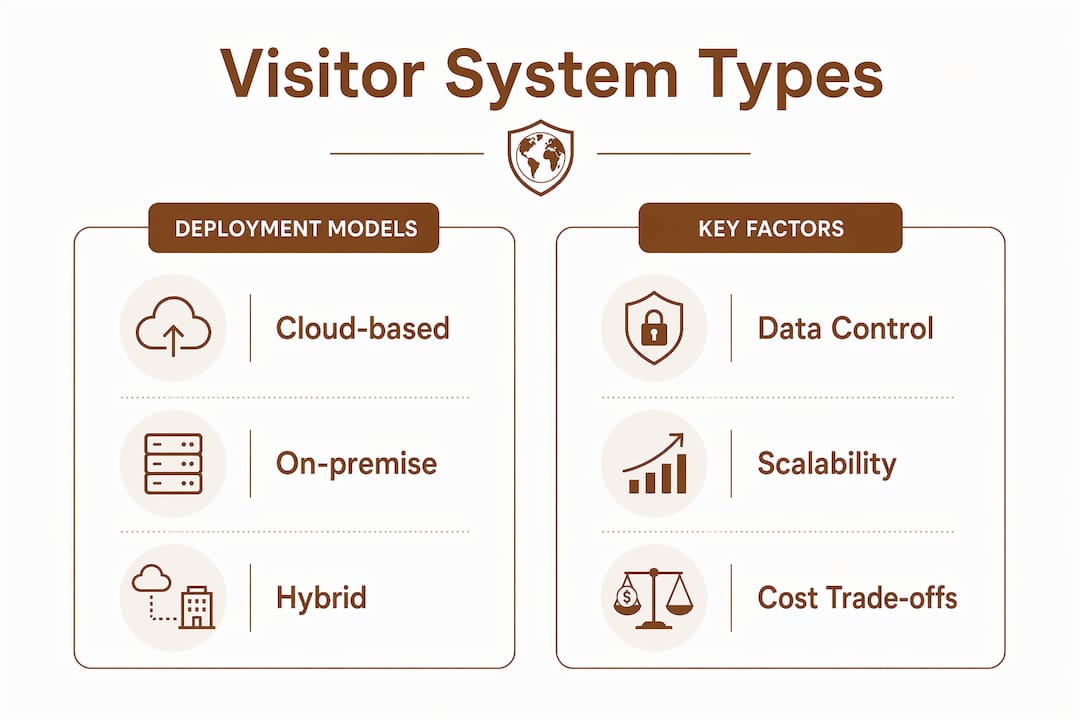
Cloud-based platforms require no local servers and update automatically. They suit multi-site businesses that need centralized oversight without dedicated IT staff at each location. On-premise deployments keep all visitor data inside your own network, which appeals to government facilities and regulated industries where data sovereignty is non-negotiable. Hybrid models split the workload: visitor data stays on-site, while reporting and dashboards run in the cloud.
Hardware quality defines the visitor experience more than any software feature. Poor hardware frustrates visitors more than a paper log ever did. A slow tablet or a jammed badge printer creates a bottleneck that undermines the entire system. Budget for commercial-grade kiosks, fast thermal badge printers, and reliable ID scanners from the start.
“Virtual Front Desk technology enables remote staff to verify visitor identity via video and remotely unlock doors, providing professional security coverage for lean or distributed offices without a full-time receptionist.”
Virtual visitor management through a remote front desk is now a practical option for Ontario businesses running lean staffing models. A staff member in a central office can greet visitors at a satellite location, verify credentials, and grant access without being physically present. This addresses both staffing costs and security coverage gaps.
| Deployment type | Best fit | Key trade-off |
|---|---|---|
| Cloud-based | Multi-site businesses | Data leaves your network |
| On-premise | Regulated industries | Requires local IT support |
| Hybrid | Mixed compliance needs | More complex to configure |
What features should businesses evaluate when selecting a system?
The right check-in software for guests does more than log names. The features below separate basic visitor tracking solutions from enterprise-grade platforms worth deploying across multiple Ontario locations.
- Pre-registration and recurring visit scheduling: Visitors receive a QR code before arrival. They scan it at the kiosk and check in without typing anything. Recurring contractors or vendors get scheduled automatically, cutting lobby time on every visit.
- Automated host notifications: The best systems alert hosts through Slack, email, and SMS the moment a visitor checks in. Pre-staged visitor data and host alerts reduce wait times and eliminate the front desk phone call.
- Digital document signing: NDAs, health declarations, and safety waivers get signed digitally at check-in. The signed record attaches to the visitor log automatically.
- Multi-site management: Centralized dashboards give security and operations teams a single view of visitor flows, compliance status, and security flags across all locations.
- Emergency occupancy monitoring: Live headcounts from the visitor system feed directly into your emergency response plan. Real-time occupancy data means your team knows exactly who is in the building during an evacuation.
Pro Tip: Test the emergency evacuation report before you need it. Run a drill using the live occupancy dashboard and confirm the headcount matches your physical count. Gaps in that test reveal integration problems before a real emergency does.
Scalability is a practical concern for Ontario businesses with growth plans. A platform that handles one location well but requires separate logins and separate data exports for each additional site creates more work, not less. Evaluate whether the system supports a single admin account across all sites before signing a contract.
How do visitor management systems improve operational efficiency?
Operational efficiency in visitor management comes down to three measurable outcomes: faster check-in, fewer staff interruptions, and better data for decision-making.
Faster check-in with QR codes and kiosks
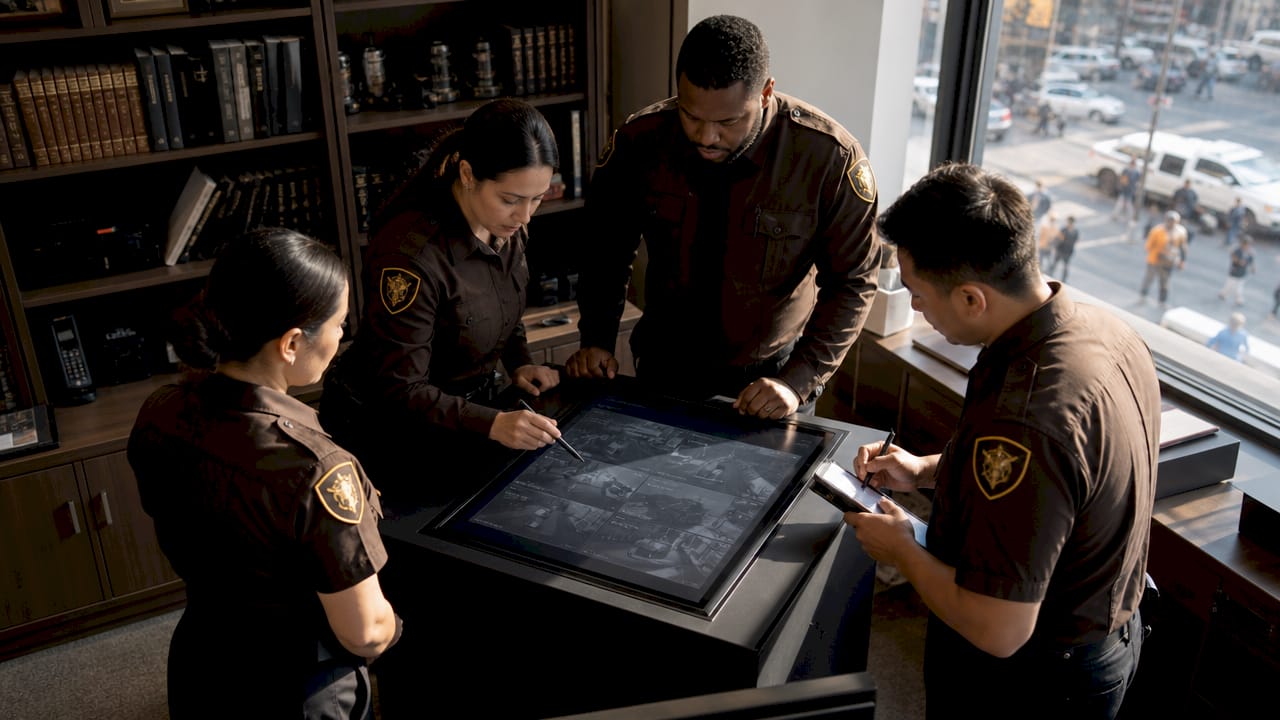
Self-service kiosks with QR code scanning bring check-in times to under 30 seconds. That speed matters most in high-traffic lobbies where a queue of five waiting visitors signals a process failure. Instant badge printing with photo capture means the visitor walks away with a credential before the host even leaves their desk.
Fewer staff interruptions through automation
Automated host notifications remove the front desk from the communication chain. The visitor checks in, the host gets a Slack or SMS alert, and the visitor waits in a designated area. No phone calls. No manual paging. Front desk staff focus on exceptions rather than routine announcements.
Better data for operational decisions
Consolidated visitor data reveals patterns that manual logs never could. Peak arrival times, average visit duration, and repeat visitor frequency all become visible. Operations teams use this data to staff lobbies correctly, schedule deliveries outside peak hours, and identify contractors who visit more frequently than their contracts specify.
- Deploy QR code pre-registration for all scheduled visitors
- Configure host notifications through your team’s primary communication channel
- Set occupancy thresholds that trigger alerts to security before a space reaches capacity
- Review visitor data monthly to identify scheduling and staffing patterns
- Test badge printer throughput during peak hours before full deployment
Key Takeaways
Visitor management systems deliver measurable security and efficiency gains only when hardware quality, software integration, and real-time screening work together as a complete solution.
| Point | Details |
|---|---|
| Digital logs beat paper | Encrypted, timestamped records support compliance audits and security reviews that paper logs cannot. |
| Hardware quality is non-negotiable | Slow kiosks and printers frustrate visitors and undermine the system’s core purpose. |
| Watchlist screening must be proactive | Screen visitors before entry is granted, not after, to stop threats at the lobby. |
| Multi-site dashboards centralize control | A single dashboard across all locations gives security teams real-time visibility and faster response. |
| Pre-registration cuts lobby time | QR code check-in under 30 seconds reduces queues and eliminates manual data entry at reception. |
What I’ve learned from watching visitor systems succeed and fail
Most implementations I’ve seen fail at the same point: the gap between the visitor management software and the physical access control hardware. The software logs the visitor, but the door still requires a manual release from the front desk. That gap erases most of the efficiency gain and creates a security blind spot. Integrating physical access control with your visitor platform is not optional if you want true security automation.
The second failure point is hardware budget. Businesses spend months evaluating software features and then buy the cheapest tablets available. A slow, unresponsive kiosk creates a worse first impression than a paper log. Visitor experience depends on lobby hardware quality, and that quality requires a real budget line.
Watchlist screening done well is genuinely powerful. The businesses that use it proactively, with alerts going to both the front desk and a security contact simultaneously, catch problems before they become incidents. The ones that treat it as a checkbox feature miss the point entirely.
Virtual front desk technology deserves more attention from Ontario businesses running distributed or lean operations. A remote receptionist with video access and door control covers a satellite office professionally without the cost of a full-time hire. For multi-location businesses, this changes the staffing math significantly.
The best visitor management practices are not about the software alone. They require clear policies, trained staff, and hardware that works reliably under real lobby conditions.
— Lakhwinder
How Bootssecurity supports your visitor management needs
Bootssecurity integrates physical security services with the technology infrastructure that visitor management systems depend on. Ontario businesses running multi-site operations need more than software. They need guards, alarm response, and access control working as a coordinated system.
The Bootssecurity ERP platform connects security guard management, visitor tracking, and compliance reporting into one operational view. When a watchlist alert fires, your security team gets a response, not just a notification. Bootssecurity deploys guards to any Ontario site within 4 hours, giving your visitor management system a physical security layer that software alone cannot provide. For businesses ready to build that complete security picture, request a tailored quote based on your site count and visitor volume.
FAQ
What is a visitor management system?
A visitor management system is a digital platform that replaces paper sign-in logs with automated check-in workflows, electronic visitor logs, badge printing, and host notifications. It tracks who enters a facility, when, and for what purpose.
How long does check-in take with a modern visitor management system?
Modern systems process check-in in under 30 seconds using QR codes and self-service kiosks. Pre-registered visitors scan a code and receive a printed badge without any manual data entry.
What compliance standards do visitor management systems support?
Enterprise platforms support SOC-2, GDPR, and CCPA compliance through encrypted record retention, audit trails, and integration with identity providers like Azure AD and Okta.
What is a virtual front desk in visitor management?
A virtual front desk lets remote staff greet visitors via video, verify identity, and unlock doors from a different location. It provides professional security coverage for offices without a full-time receptionist.
How does watchlist screening work in visitor management?
The system cross-references each visitor’s information against a block list during check-in and sends automated alerts to security personnel before entry is granted. This stops flagged individuals at the lobby rather than after they enter.


